

Essential details
Lead time:5-7天
Shipping:Express delivery
Product Introduction
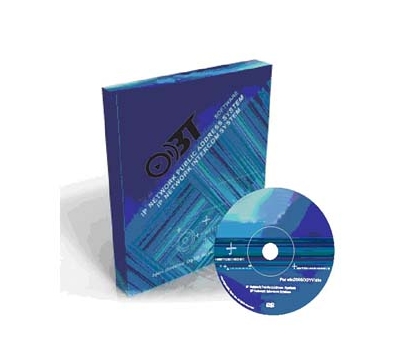
Paperless meeting system – Intelligent Conference Management Software (C/S + B/S, Pre‑meeting / In‑meeting / Post‑meeting Archive)
1. System and Architecture:
Supports Windows 7/Windows Server 2008/2010 systems, with the software system core adopting a C/S architecture, fully ensuring the security between the server and client, and fully leveraging the processing capabilities of the client PC. On this basis, the B/S architecture access mode is grafted, allowing any terminal and console computer to access the server conference management system through a browser without installing any specialized software, making it convenient and fast. Web browser access mode, supporting super administrators and multiple administrators. Super administrators can assign multiple usernames and passwords, and meetings created and set up by different administrators are kept confidential. Super administrators have the authority to manage all meetings.
Supports Windows 7/Windows Server 2008/2010 systems, with the software system core adopting a C/S architecture, fully ensuring the security between the server and client, and fully leveraging the processing capabilities of the client PC. On this basis, the B/S architecture access mode is grafted, allowing any terminal and console computer to access the server conference management system through a browser without installing any specialized software, making it convenient and fast. Web browser access mode, supporting super administrators and multiple administrators. Super administrators can assign multiple usernames and passwords, and meetings created and set up by different administrators are kept confidential. Super administrators have the authority to manage all meetings.
2. Functional requirements for intelligent paperless conference backend software
★ 1. The server is equipped with intelligent paperless backend conference management software, which can remotely open and close the conference terminal (i.e. unified power on, unified power off, and can specify the on/off of the seat terminals participating in the conference, such as 80 seats in the venue and only 20 people participating in the conference); Control the ascent and descent of lifting equipment; Responsible for handling meeting documents: able to manage and distribute files for single or multiple meetings, improving the ability of the conference system to exchange, transmit, manage, and backup information security. Support functions such as check-in, voting, annotation file viewing, calling services, file projection, meeting agenda, file sharing, participant permissions, shared electronic whiteboards, etc. on the conference terminal screen. Conference process files can be stored in real-time within the intelligent paperless conference server or automatically returned to the internal system.
★ 1. The server is equipped with intelligent paperless backend conference management software, which can remotely open and close the conference terminal (i.e. unified power on, unified power off, and can specify the on/off of the seat terminals participating in the conference, such as 80 seats in the venue and only 20 people participating in the conference); Control the ascent and descent of lifting equipment; Responsible for handling meeting documents: able to manage and distribute files for single or multiple meetings, improving the ability of the conference system to exchange, transmit, manage, and backup information security. Support functions such as check-in, voting, annotation file viewing, calling services, file projection, meeting agenda, file sharing, participant permissions, shared electronic whiteboards, etc. on the conference terminal screen. Conference process files can be stored in real-time within the intelligent paperless conference server or automatically returned to the internal system.
3. Preparation before the meeting
★ 1. Multi meeting management: supports pre setting multiple meeting information: setting meeting slogan content, customizing slogan background images; Set up welcome interface and customize background image; Edit basic information of the meeting: meeting theme, host, meeting secretary, meeting time, meeting location, etc., and set the display mode (font size, color, and layout). According to the meeting schedule, pre-set meetings can be freely enabled.
★ 2. Attendee settings: Supports batch import of personal name information, fonts, font sizes, and background images; Support generating simulated layouts; Support the temporary addition mechanism and temporary absence mechanism for attendees, which can automatically rearrange the ranking with one click according to the rules after changes, and display it in real-time on the simulated layout.
★ 3. Set meeting permissions: Permission package extension: Attendees need to check in, participate in a certain topic, view files within the topic, participate in a certain voting, and be able to broadcast on the same screen.
★ 4. Meeting Agenda: Set meeting agenda information and generate a meeting agenda tree on the terminal.
★ 5. Meeting topics: Set multiple meeting topics, set participation permissions for attendees for each topic, and upload meeting files in the format of MP4, AVI, PDF, PPT, Word, EXCEL, CAD, 2D, 3D, etc.
☆ 6. Voting: Set up and manage conference voting, edit conference voting titles, types (voting types are: agree, disagree, abstain, and voting types can be customized), voting methods (support setting whether to vote anonymously or with real names), participants' permission to participate in voting, control the start time of voting, automatically generate voting results at the end of voting, and generate them in a circular proportion manner. Support the import and export of voting information.
★ 1. Multi meeting management: supports pre setting multiple meeting information: setting meeting slogan content, customizing slogan background images; Set up welcome interface and customize background image; Edit basic information of the meeting: meeting theme, host, meeting secretary, meeting time, meeting location, etc., and set the display mode (font size, color, and layout). According to the meeting schedule, pre-set meetings can be freely enabled.
★ 2. Attendee settings: Supports batch import of personal name information, fonts, font sizes, and background images; Support generating simulated layouts; Support the temporary addition mechanism and temporary absence mechanism for attendees, which can automatically rearrange the ranking with one click according to the rules after changes, and display it in real-time on the simulated layout.
★ 3. Set meeting permissions: Permission package extension: Attendees need to check in, participate in a certain topic, view files within the topic, participate in a certain voting, and be able to broadcast on the same screen.
★ 4. Meeting Agenda: Set meeting agenda information and generate a meeting agenda tree on the terminal.
★ 5. Meeting topics: Set multiple meeting topics, set participation permissions for attendees for each topic, and upload meeting files in the format of MP4, AVI, PDF, PPT, Word, EXCEL, CAD, 2D, 3D, etc.
☆ 6. Voting: Set up and manage conference voting, edit conference voting titles, types (voting types are: agree, disagree, abstain, and voting types can be customized), voting methods (support setting whether to vote anonymously or with real names), participants' permission to participate in voting, control the start time of voting, automatically generate voting results at the end of voting, and generate them in a circular proportion manner. Support the import and export of voting information.
4. In-meeting management
☆ 1. Support temporary addition or modification of participant information in the background of the meeting.
☆ 2. Support real-time control of participant client software and hardware terminals in the background of the meeting, and temporarily change participant usage permissions during the meeting, such as "whether to sign in", "whether to participate in a certain topic", "whether files within the topic can be viewed", "whether to participate in a certain voting", "whether to broadcast on the same screen".
☆ 3. Support temporary addition or deletion of agendas, topics, and uploading or changing files within the topics in the background of the meeting.
☆ 4. Support temporary addition or modification of meeting attendance and voting information in the background of the meeting.
☆ 1. Support temporary addition or modification of participant information in the background of the meeting.
☆ 2. Support real-time control of participant client software and hardware terminals in the background of the meeting, and temporarily change participant usage permissions during the meeting, such as "whether to sign in", "whether to participate in a certain topic", "whether files within the topic can be viewed", "whether to participate in a certain voting", "whether to broadcast on the same screen".
☆ 3. Support temporary addition or deletion of agendas, topics, and uploading or changing files within the topics in the background of the meeting.
☆ 4. Support temporary addition or modification of meeting attendance and voting information in the background of the meeting.
5. Post-meeting filing:
★ 1. The intelligent paperless conference management software is an intelligent system that integrates publishing, management, and automatic saving. It supports archiving and saving of the conference after it ends; The naming convention is: meeting time - meeting name, convenient for later archiving and reference.
★ 2. Attendee Information: Save the information of attendees' units, names, positions, and seating locations.
★ 3. Save conference check-in information, automatically record detailed check-in and check-out times of participants, and record them in detail in terms of conference time, conference theme, expected attendance, actual attendance, etc. The records are automatically generated in an EXCEL document and can be exported with one click.
★ 4. The voting results will be saved, and the voting information will be reflected in the form of circles, numerical divisions, etc. The results will be automatically generated in the document, and the voting result information table can be exported with one click.
★ 5. Meeting agenda saving: The backend automatically saves the meeting agenda information added in the meeting and saves it in the form of a Word document.
★ 6. Meeting agenda saving: Save the added meeting agenda and the original files and annotations within the agenda.
★ 7. Electronic whiteboard information saving: Save personal and online generated electronic whiteboard information, and generate JPG image files.
★ 8. All saved information supports export function.
★ 1. The intelligent paperless conference management software is an intelligent system that integrates publishing, management, and automatic saving. It supports archiving and saving of the conference after it ends; The naming convention is: meeting time - meeting name, convenient for later archiving and reference.
★ 2. Attendee Information: Save the information of attendees' units, names, positions, and seating locations.
★ 3. Save conference check-in information, automatically record detailed check-in and check-out times of participants, and record them in detail in terms of conference time, conference theme, expected attendance, actual attendance, etc. The records are automatically generated in an EXCEL document and can be exported with one click.
★ 4. The voting results will be saved, and the voting information will be reflected in the form of circles, numerical divisions, etc. The results will be automatically generated in the document, and the voting result information table can be exported with one click.
★ 5. Meeting agenda saving: The backend automatically saves the meeting agenda information added in the meeting and saves it in the form of a Word document.
★ 6. Meeting agenda saving: Save the added meeting agenda and the original files and annotations within the agenda.
★ 7. Electronic whiteboard information saving: Save personal and online generated electronic whiteboard information, and generate JPG image files.
★ 8. All saved information supports export function.
This paperless meeting system management software provides full lifecycle control (pre‑meeting setup, in‑meeting control, post‑meeting archiving) with cross‑platform access and fine‑grained permission management.
In summary, this paperless meeting system intelligent backend software with C/S + B/S architecture, real‑time terminal control, batch file handling, and automatic archiving is the ideal choice for government agencies, enterprises, and high‑end conference centers seeking a comprehensive digital meeting solution.


